Get started

Reading Hub · Ascend

A reading tracker that rewards pages, not just finished books

The Reading Hub is Ascend’s free reading tracker: keep a library of books, log the pages or chapters you read each day, and earn points for the reading itself, not only for the last page. Every 2 pages earn a point, and a finished book adds a 15-point bonus.

A reading streak counts the days in a row you logged pages, so ten pages on a busy evening still keeps it alive. That is the habit most readers are really trying to build.
Free · In beta · Phone and PC · No download needed

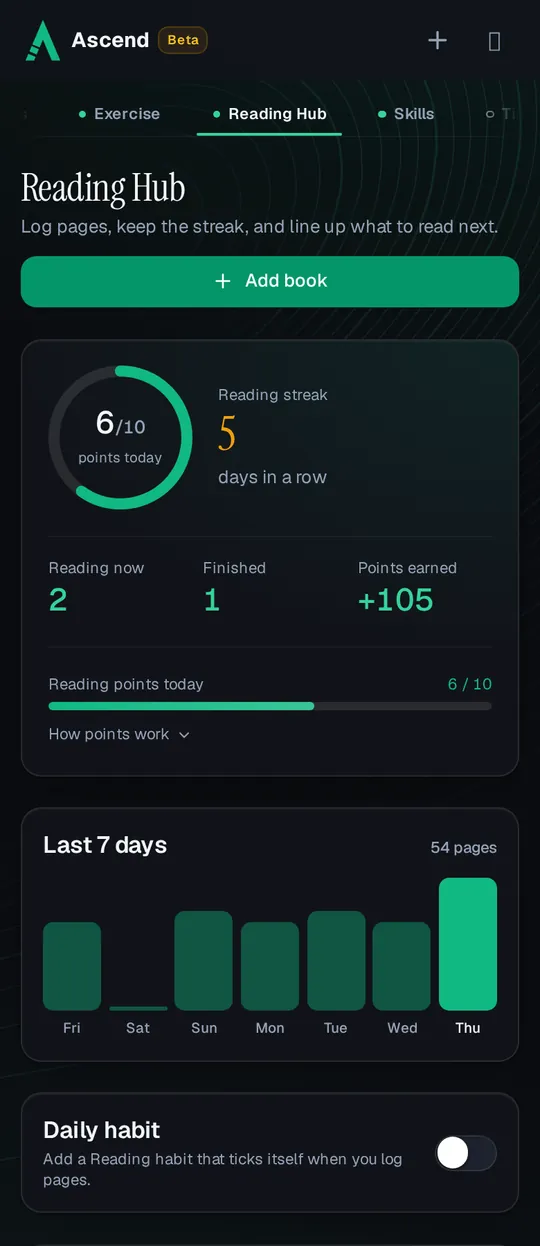
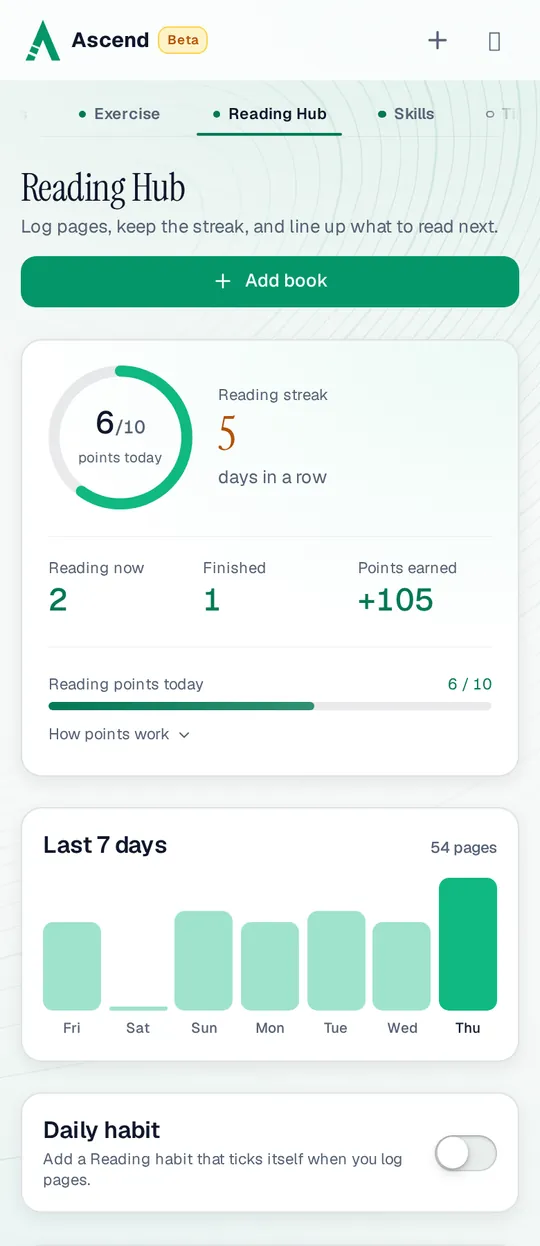
The Reading Hub on a phone: a 5-day reading streak, 6 of 10 reading points today, 2 books in progress, 1 finished and a chart of 54 pages read in the last 7 daysThe Reading Hub on a phone: a 5-day reading streak, 6 of 10 reading points today, 2 books in progress, 1 finished and a chart of 54 pages read in the last 7 days

Tracking a book from start to finish

  1. Add a book

    Pick one from Discover or add your own with its title, author and length. Choose pages for most books or chapters for books you read chapter by chapter.

  2. Log your progress

    Enter the page or chapter you are on, and Ascend works out how much you read today. The card shows the percentage done and what is left.

  3. Finish it

    Mark it finished when you reach the end, or tap Finish early and the unread pages are filled in for you. Add a key takeaway so you remember why it mattered.

  4. Line up the next one

    Books you want to read wait in the Library tab. Move a book back there if you pause it, and pick it up later where you left off.

Four tabs, one shelf. Reading shows the books in progress, Library the ones you want to read, Finished the ones you completed (with the date and your takeaway), and Discover a list of 54 well-known self-improvement books you can add in one tap.

Discover: a starting list of good books

Discover holds 54 books in 9 categories: Habits, Mindset, Productivity, Discipline, Finance, Relationships, Spirituality, Business and Influence. Search by title, author or takeaway, filter by category, and sort by trending, bestsellers or A to Z. A book you add from Discover keeps its length, so you only have to log pages.

How reading earns points

The rules below are the same ones the Reading Hub shows under “How points work”. With an account the server counts them, so the total matches on every device.

Points
What happensPoints
Every 2 pages+1
Every chapter, in a book counted in chaptersA chapter counts as 20 pages.+10
Daily cap, across all your booksReached at 20 pages. Reading more still counts for the book, the streak and your goals.10 a day
Finishing a bookOnce per book, when you logged pages on at least 5 different days and the first of them was 7 or more days before you finish.+15
Pages that Finish fills in for youThey complete the book but earn no page points.0
Why the bonus has conditions. The bonus is for reading a book, not for adding one and pressing Finish. Finish bonuses also come at most once every 13 days; a book finished sooner after the last bonus gets none. While you read, the Finish dialog shows how many reading days you have and how many days since your first log, so you always know whether the bonus will come.

Removing a book is the one place points go back: it takes back that book’s finish bonus and today’s page points from it, and the confirm dialog says exactly how many. Earlier days keep their page points.

Reading inside the rest of Ascend

Pages you log don’t stay in one place. They count toward your season, your rank and the leagues, and they can fill other parts of the app as well:

  • A daily Reading habit

    Turn on the switch and a Reading habit joins your habits, ticked by itself on every day you log pages. It keeps a habit streak and earns nothing extra, so pages are never counted twice.

  • Weekly reading goals

    A weekly goal like “Read 100 pages” or “3 chapters of one book” fills in from your logs and ticks itself at the target.

  • Reading blocks

    Put a reading block in your time-blocked day and it gets a button that opens the Reading Hub.

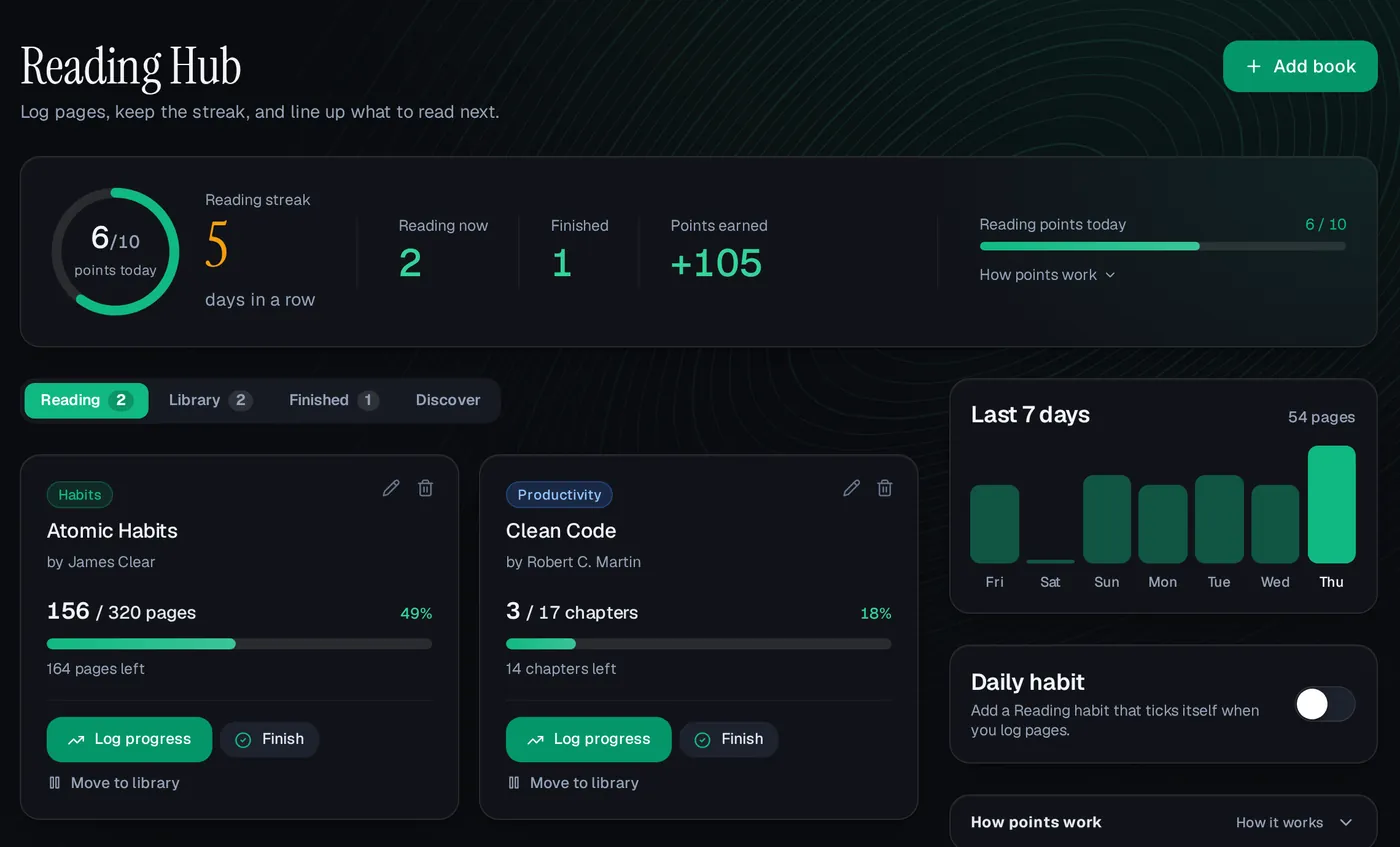
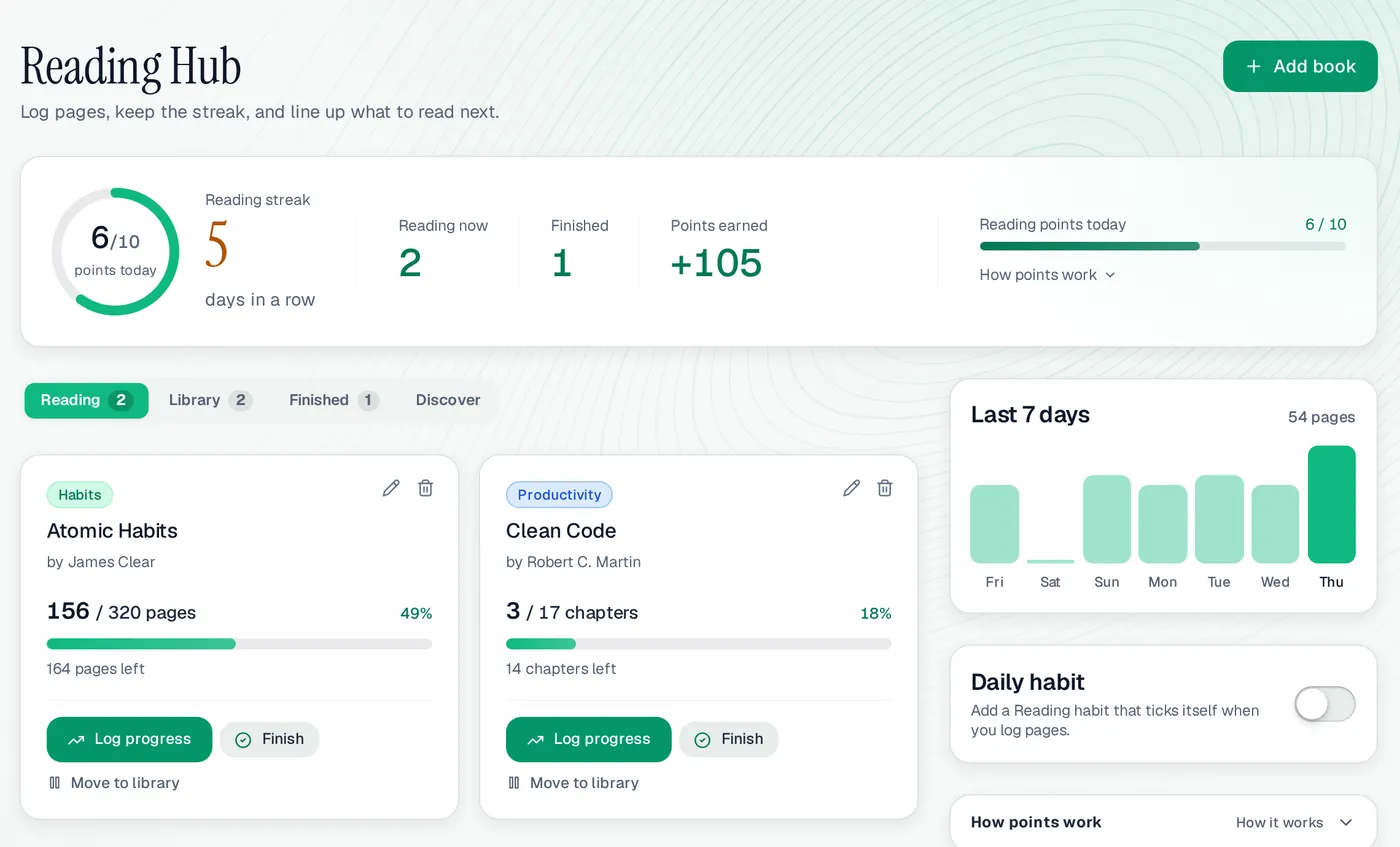
The Reading Hub on a computer: Atomic Habits at 156 of 320 pages, Clean Code at 3 of 17 chapters, 6 of 10 reading points today and +105 points earnedThe Reading Hub on a computer: Atomic Habits at 156 of 320 pages, Clean Code at 3 of 17 chapters, 6 of 10 reading points today and +105 points earned
The Reading Hub on a computer, with the demo user Ali’s books.

Reading Hub at a glance

Page points
1 per 2 pages, or 10 per chapter
Daily cap
10 points, shared by all books
Finish bonus
+15, at most once every 13 days
Streak
Days in a row with pages logged
Discover
54 books in 9 categories
Units
Pages or chapters, set per book
Price
Free while in beta
Works on
Any browser, phone or computer

A good fit if

  • You want to read a little every day, not just count finished books.
  • You read on paper or on another app and want one place to log progress.
  • Points and a streak help you pick up a book instead of your phone.

Maybe not if

  • You want book reviews, ratings and a social feed; Ascend tracks your reading, it isn’t a book community.
  • You want an e-reader; you read the book wherever you have it and log the pages here.

Reading Hub: questions people ask

Is the reading tracker free?

Yes. Ascend is free while in beta. The library, Discover, the streak and the points are all included.

Can I track a book by chapters instead of pages?

Yes. Choose chapters when you add it. For a chapter book every chapter earns 10 points. A book’s unit is fixed once you log it, so earlier logs never change meaning.

How do I get the finish bonus?

Finish a book after you logged pages on at least 5 different days and the first of them was 7 or more days before you finish. The bonus is 15 points, once per book, and at most once every 13 days.

What breaks a reading streak?

A day with no pages logged. Any amount keeps it going, and the Finished and Library tabs don’t affect it.

Can I add a book that isn’t in Discover?

Yes. Add any book with its title, author and length. Discover is only a starting list.

Start your reading streak

Add the book on your desk, log today’s pages, and day one is done.